How Product Managers Aggregate Feedback and Track Decisions with the Optiverse Assistant
How product managers use the Optiverse AI assistant to aggregate feature requests from dozens of meetings, track how product decisions evolved, align stakeholders, and generate requirement documents from real discussions.
Product decisions happen in conversations. Customer calls, internal syncs, sprint retros, stakeholder reviews. The problem is that those conversations scatter insights across dozens of meetings with no easy way to connect them. The Optiverse assistant searches across all of them and gives you structured answers grounded in what was actually said.
Aggregate Feature Requests Across All Meetings
Feature requests come from everywhere. Customer calls, sales handoffs, CS escalations, internal brainstorms. Without a systematic way to aggregate them, you end up prioritizing based on whoever was loudest in the last meeting.
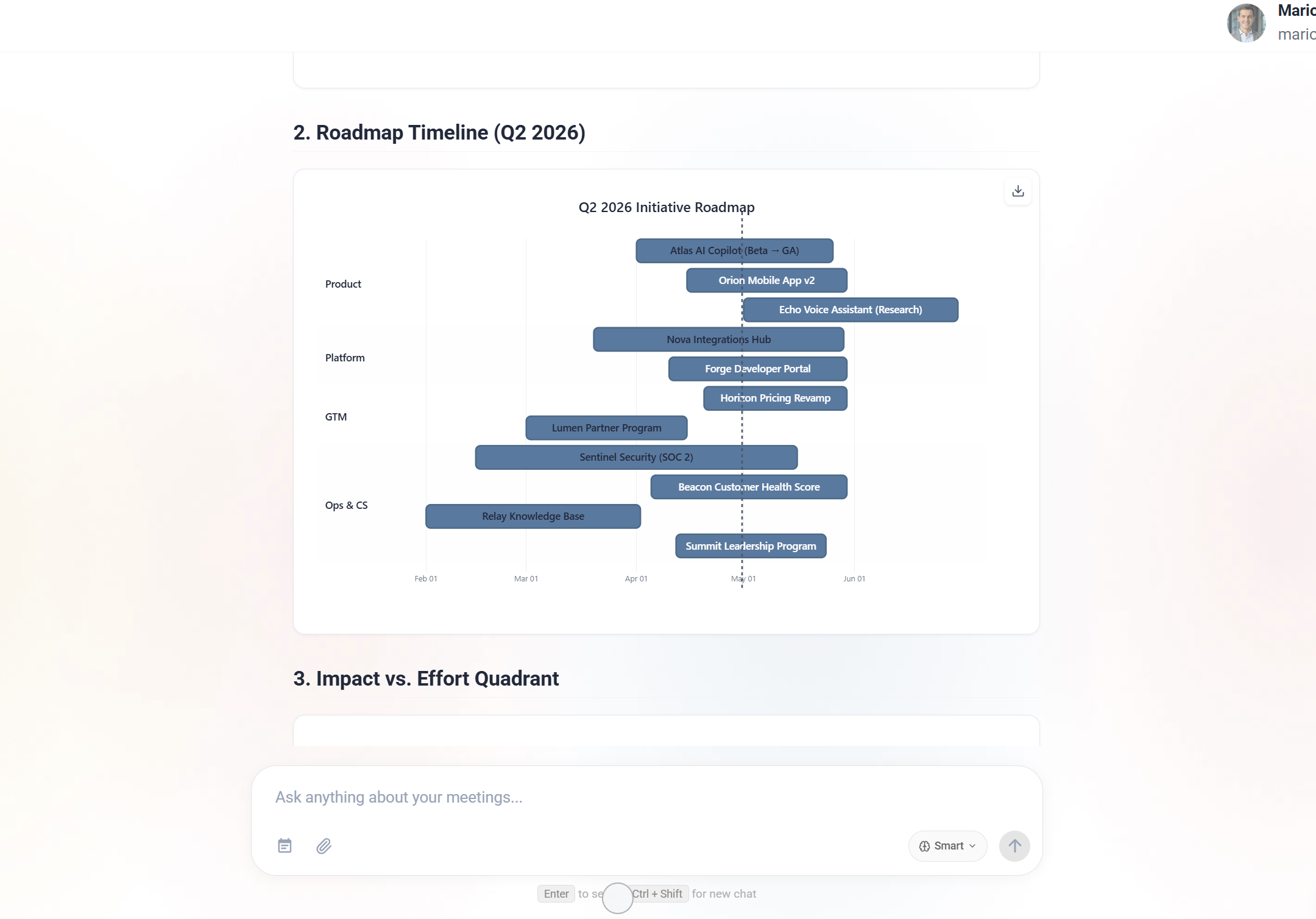
What to ask:
- "What have customers said about reporting capabilities across all meetings this quarter?"
- "List every feature request mentioned in customer calls this quarter, grouped by frequency"
- "Which pain points have been raised by more than three different clients?"
- "What workarounds are customers describing for problems we haven't solved yet?"
What you get:
- A consolidated list of requests, grouped by theme
- Frequency counts showing how many different people raised each item
- Direct quotes from conversations so you can hear the customer's actual words
- Context about who requested what and how urgently they framed it
How to use it:
- Run a monthly feature request aggregation across all customer-facing meetings
- Ask the assistant to rank them by frequency and urgency
- Share the results with your team as input for roadmap planning
- Reference specific customer quotes when making prioritization decisions in stakeholder meetings
This replaces the manual process of reading through CRM notes, Slack messages, and meeting summaries. One query gives you what would take a full day to compile.
Track How Decisions Evolved Over Time
Product decisions rarely happen in a single meeting. They evolve through discussion, pushback, new information, and compromise. The Optiverse assistant traces the full arc so you never lose the reasoning behind a decision.
What to ask:
- "What did we decide about the pricing tier structure and how has that decision changed over the last 6 months?"
- "What were the arguments for and against the microservices approach across all architecture meetings?"
- "When did we first discuss deprecating the legacy API, and what was the original timeline?"
- "Who raised concerns about the mobile-first strategy and what were their specific objections?"
Why this matters:
- New team members can understand why something was built a certain way without asking five people
- Revisiting decisions becomes easier because you can see what information was available when the original choice was made
- Stakeholder alignment improves when everyone can access the documented reasoning, not just the outcome
Practical use:
When someone asks "why did we build it this way?" you can answer in seconds with exact references to the conversations where the decision was made, who advocated for it, and what alternatives were considered.
Align Stakeholders with Shared Context
Cross-functional alignment breaks down when different teams have different information. Before a planning meeting, use the assistant to understand what each team is actually saying about a topic.
What to ask:
- "Compare what engineering, sales, and CS have said about the onboarding flow in the last quarter"
- "What has the sales team told prospects about our roadmap timeline for integrations?"
- "Are there any contradictions between what marketing is positioning and what engineering is planning to deliver?"
- "What concerns has the design team raised about the current proposal?"
What this surfaces:
- Misalignment between what's being promised to customers and what's being built
- Different teams operating on different assumptions about timelines
- Concerns raised in one team's meetings that haven't reached other teams
- Opportunities where multiple teams are independently asking for the same thing
Use this before any cross-functional sync. Walking in knowing where each team stands lets you facilitate alignment instead of discovering misalignment live in the meeting.
Generate Product Documents from Discussions
Turning meeting discussions into structured documents is tedious. The assistant does it for you, pulling directly from what was discussed and decided.
What to ask:
- "Generate a product requirements document from the last three planning meetings about the notification system"
- "Create a one-pager summarizing the new pricing model based on our strategy discussions"
- "Draft a feature brief for the mobile push notifications project using decisions from last month's meetings"
- "Compile a competitive analysis document from everything the sales team has reported about competitors"
What makes this different from writing it yourself:
- Every statement in the document traces back to an actual conversation
- Decisions are attributed to specific people and meetings
- Open questions are flagged automatically
- Conflicting opinions are noted rather than hidden
The output is a first draft, not a final document. But it gives you a comprehensive starting point that captures everything discussed, so you spend your time refining rather than remembering.
Sprint and Quarterly Review Reports
At the end of a sprint or quarter, you need to report on what was accomplished, what was deprioritized, and what's next. The assistant compiles this from your actual discussions.
What to ask:
- "What did the team commit to in sprint planning this month, and what was actually delivered based on retro discussions?"
- "Generate a quarterly product review covering all planning meetings from Q2"
- "What were the main themes in our sprint retros over the last 3 months?"
- "List everything we deprioritized this quarter and the reasons discussed"
Use cases:
- Sprint retros: Prepare a data-driven summary of what was planned vs. discussed as complete
- Quarterly reviews: Generate a comprehensive narrative of the quarter without writing from scratch
- Roadmap updates: Cross-reference what was committed against what was shipped
- Leadership reports: Produce a polished summary of product progress for executive stakeholders
Example Prompts for Product Managers
| What you need | What to ask the assistant |
|---|---|
| Feature request roundup | "List all feature requests from customer calls this quarter, grouped by theme and frequency" |
| Decision archaeology | "What did we decide about [feature] and how has that decision changed over the last 6 months?" |
| Stakeholder alignment | "Compare what engineering and sales have said about the timeline for [feature]" |
| PRD generation | "Generate a product requirements document from the last 3 planning meetings about [feature]" |
| Competitive intel | "What have customers and prospects said about [competitor] in the last quarter?" |
| Sprint review prep | "Summarize what was committed vs. delivered based on sprint planning and retro meetings this month" |
| Roadmap defense | "What customer quotes support prioritizing [feature]? Pull exact words from meeting transcripts" |
| Impact assessment | "How many clients have mentioned [problem] and what business impact did they describe?" |
| Open questions | "What unresolved questions have come up in [project] meetings that still need a decision?" |
| Onboarding a new PM | "Give me the full history of decisions and reasoning for [product area] over the last year" |
Workflow Tips
- Run a monthly feedback aggregation. Set a recurring reminder to query "What feature requests and pain points came up in customer meetings this month?" This keeps your backlog grounded in real demand.
- Query before planning meetings. Before any roadmap or prioritization session, ask the assistant what customers have actually said. It's harder to dismiss data-backed requests than anecdotal ones.
- Use it for writing. When drafting PRDs, specs, or briefs, ask the assistant to pull relevant context from past discussions. It's faster than re-reading meeting notes and you won't miss anything.
- Trace decisions when challenged. When someone questions a past decision, pull the full conversation history in seconds. This depersonalizes disagreements and refocuses on the reasoning.
Get Started
Setup takes under 5 minutes. Connect your calendar, and every meeting from that point forward becomes searchable. The more customer calls and internal syncs you record, the richer the feedback data you can aggregate.
- Create your free account (Google or Microsoft sign-in)
- Connect your calendar and set the assistant to join customer calls and planning meetings
- After a few meetings, try a feature request aggregation query
- Use the results in your next prioritization discussion
You don't need to change how you work. Just let the assistant record, and all the feedback and decisions become queryable.
Want to see how Optiverse works for product teams? Book a short call and we'll show you live with your own meeting data.
How Customer Success Teams Monitor Client Health and Prepare Renewals with the Optiverse Assistant
How customer success teams use the Optiverse AI assistant to monitor client sentiment across meetings, prepare for renewals with full conversation history, handle account handoffs, and write outreach emails grounded in what was actually discussed.
Stay Informed Without Attending Every Meeting
How executives use the Optiverse AI assistant to get instant briefings on any meeting, generate cross-team visibility reports, track strategic decisions over time, and prepare board updates from real conversation data.