
How Customer Success Teams Monitor Client Health and Prepare Renewals with the Optiverse Assistant
How customer success teams use the Optiverse AI assistant to monitor client sentiment across meetings, prepare for renewals with full conversation history, handle account handoffs, and write outreach emails grounded in what was actually discussed.
Customer success runs on context. Every client interaction contains signals about health, risk, and opportunity. The Optiverse assistant searches across all your recorded meetings to surface those signals, so you can act on them before they become problems.
This guide covers the workflows that CS teams use most, with real prompts you can copy and adapt.
Monitor Client Health Across Every Touchpoint
When you manage dozens of accounts, it's easy to miss a subtle shift in tone or a concern raised once that never got addressed. The Optiverse assistant searches across all meetings with a client and identifies patterns that would take hours to catch manually.
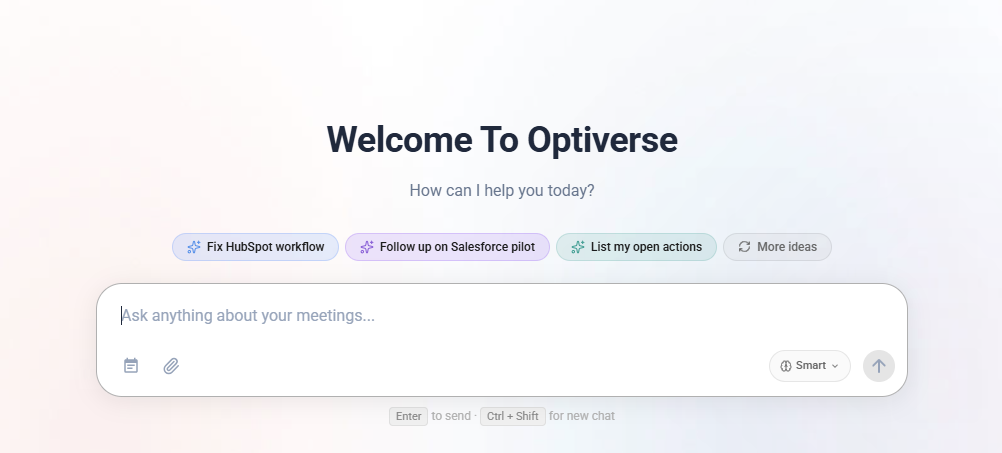
What to ask:
- "What concerns has Acme raised in the last 3 months?"
- "How has the tone from Delta Corp changed over the last quarter? Are they more or less enthusiastic about our product?"
- "List every time a contact at Globex mentioned considering alternatives or competitors"
- "What commitments did we make to NovaTech that haven't been mentioned as resolved?"
Why this works: The AI reads across every touchpoint, including calls you didn't attend. It detects patterns in language and topics that would require reading dozens of transcripts to spot yourself. You get an honest, data-grounded view of account health rather than relying on gut feeling or sporadic notes.
Practical workflow:
- Set a weekly or bi-weekly cadence to check on your top accounts
- Ask the assistant for a health summary of each key account
- Flag any accounts showing declining sentiment or unresolved concerns
- Use those insights to prioritize your outreach for the week
Prepare for Renewals with Full Context
Renewal conversations go better when you know exactly what happened over the contract period. The assistant compiles everything discussed with an account into a structured briefing so you walk in prepared.
What to ask:
- "Summarize everything discussed with Acme Corp since their last renewal, focusing on concerns, feature requests, and commitments we made"
- "What outcomes has Meridian achieved with our product based on what they've said in meetings?"
- "List all unresolved issues raised by anyone at CloudFirst in the past 6 months"
- "What features does Prism use and love based on our conversations with them?"
What you get back:
- A timeline of the relationship over the contract period
- Features and capabilities the client has praised
- Issues they raised and whether those were resolved
- Promises or commitments your team made
- Outstanding requests that haven't been addressed
Practical workflow:
- Two weeks before a renewal meeting, ask for a full account summary
- Identify wins you can highlight and risks you need to address
- Prepare responses for any unresolved concerns
- Use the assistant to draft a renewal deck or talking points document
Seamless Account Handoffs
Taking over an account from another CSM usually means weeks of ramp-up, reading disorganized notes, and hoping nothing important was lost. With the Optiverse assistant, you can get a complete briefing on any account in minutes.
What to ask:
- "Give me a complete briefing on Atlas Inc: key contacts, relationship history, open items, and what they care about most"
- "Who are the main stakeholders at Vertex and what does each person focus on?"
- "What was discussed in the last 5 meetings with Helios? What's the current status of their implementation?"
- "Are there any sensitive topics or past issues with Beacon Labs I should be aware of?"
What makes this powerful: The briefing is generated from actual conversations, not secondhand summaries. You'll know exactly what was said, by whom, and when. This means you can reference specific past discussions in your first interactions with the client, building trust immediately.
Practical workflow:
- Ask for a full account briefing covering history, contacts, and open items
- Follow up with specific questions about any areas that need more depth
- Ask the assistant to draft your introduction email referencing their priorities
- Within one day, you have the context that would normally take two weeks to build
Track Feature Requests and Recurring Issues
Product teams need to hear what clients actually say, not filtered summaries. The Optiverse assistant searches across all client meetings to identify the most requested features and the most common pain points.
What to ask:
- "What feature requests have clients mentioned more than once this quarter?"
- "Which clients have raised concerns about reporting capabilities and what specifically did they say?"
- "List every mention of API limitations across all client calls in the last 3 months"
- "What workarounds are clients describing for problems our product doesn't solve yet?"
How to use this with Product:
- Run a monthly or quarterly feature request summary across all client meetings
- Ask the assistant to group requests by theme and count how many clients mentioned each
- Include direct quotes from clients to strengthen your prioritization case
- Share the results in your next Product sync to inform roadmap decisions
For issue tracking:
- "How many clients have mentioned slow load times in the last month?"
- "What did we tell TechNova about the export bug, and has it been fixed?"
- "Which accounts are being impacted by the same issue, and what's the business impact they've described?"
Proactive Outreach Grounded in Real Conversations
Generic check-in emails get ignored. Emails that reference something the client actually said get responses. The Optiverse assistant drafts outreach that includes specific details from your meetings.
What to ask:
- "Draft an email to Sarah at Acme following up on the integration concern she raised last call, letting her know we have a solution ready"
- "Write a check-in email to Marcus at Beacon referencing the workflow improvements he mentioned wanting to explore"
- "Draft a QBR invitation to the Vertex team that references the three goals they set at the beginning of the quarter"
- "Write an email to the CloudFirst team celebrating the milestone they mentioned hitting in our last call"
Why this works: The assistant pulls specific details from the actual conversation. The email will mention what the client said, when they said it, and what you're doing about it. This turns a routine check-in into a touchpoint that demonstrates you're paying attention.
Best practices:
- Reference something specific from the last meeting within the first two sentences
- Include a concrete next step or offer, not just "checking in"
- Keep the tone consistent with how you actually speak in meetings
- Ask the assistant to match the formality level of your previous interactions with that contact
Example Prompts for Customer Success
| What you need | What to ask the assistant |
|---|---|
| Account health check | "How is the sentiment from [company] trending? Are there any warning signs in our last 5 meetings?" |
| Renewal preparation | "Summarize all interactions with [company] since [date], focusing on outcomes achieved, concerns raised, and open requests" |
| Account handoff briefing | "Give me a full briefing on [company]: key contacts, relationship history, communication style, open items, and priorities" |
| Feature request roundup | "What features have been requested by more than 2 clients this quarter? Group by theme and list who asked" |
| Proactive email draft | "Draft a personalized check-in email to [contact] at [company] referencing what they said they wanted to achieve this quarter" |
| QBR preparation | "Compile a quarterly business review for [company]: goals set at the start of Q2, progress discussed in meetings, metrics mentioned, and recommendations" |
| Escalation detection | "Flag any meetings in the last 2 weeks where a client expressed frustration, disappointment, or urgency about an unresolved issue" |
| Competitive risk | "Have any clients mentioned evaluating competitors or alternative solutions in the last 3 months? What specifically did they say?" |
| Success story material | "What positive outcomes or results has [company] described achieving with our product? Pull direct quotes" |
| Multi-account pattern | "Across all my accounts, what are the three most common topics raised in meetings this month?" |
Get Started
Optiverse setup takes under 5 minutes. Sign up, connect your calendar, and the assistant joins your meetings automatically. Every client call from that point forward becomes searchable.
- Create your free account (Google or Microsoft sign-in)
- Connect your calendar and choose when the assistant should join
- After your first few client calls are recorded, start querying across them
- Try a health check on one account you know well to see the accuracy firsthand
The more meetings recorded, the richer the context. Within a week, you'll have enough data to run meaningful cross-account queries.
Want to see how Optiverse fits your CS team's workflow? Book a short call and we'll walk you through it live.
The Optiverse assistant searches only meetings you have access to. If another team member recorded a call with your client, make sure it's shared with you or your workspace so the AI can include it in search results. See Access and Sharing for details.
How Sales Teams Automate Meeting Prep and Follow-Ups with the Optiverse Assistant
How sales teams use the Optiverse AI assistant to prepare for calls in seconds, send follow-up emails instantly, track deal conversations over time, and keep CRM data accurate without manual logging.
How Product Managers Aggregate Feedback and Track Decisions with the Optiverse Assistant
How product managers use the Optiverse AI assistant to aggregate feature requests from dozens of meetings, track how product decisions evolved, align stakeholders, and generate requirement documents from real discussions.