

Authentication
Create API keys and authenticate requests to the Optiverse API.
All API requests require a bearer token. This page covers how to create your key and use it in requests. The same key works for API v1, API v2, and as a bearer token for the Optiverse MCP server.
Create Your API Key
- Go to Settings, API keys.
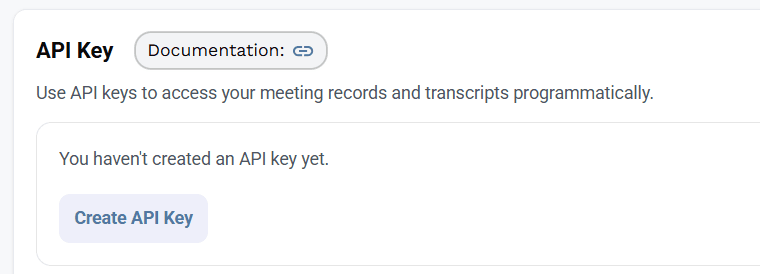
- Click Create API Key.
- Copy the key immediately. It is only displayed once.
Store your API key securely. If you lose it, you will need to delete the existing key and create a new one.
Key Format
User-level API keys use the prefix:
optiuser_v1_Organization-level keys are coming soon and will use a different prefix.
Using Your Key
Include the key in the Authorization header of every request:
Authorization: Bearer YOUR_API_KEYExample Request (cURL)
curl -X GET "https://developer.optiverse.ai/api/v2/meetings?limit=5" \
  -H "Authorization: Bearer optiuser_v1_your_key_here"
Example Request (JavaScript)
const response = await fetch("https://developer.optiverse.ai/api/v2/meetings?limit=5", {
  headers: {
    "Authorization": "Bearer optiuser_v1_your_key_here"
  }
});

const data = await response.json();
Example Request (Python)
import requests

headers = {"Authorization": "Bearer optiuser_v1_your_key_here"}
response = requests.get(
    "https://developer.optiverse.ai/api/v2/meetings",
    params={"limit": 5},
    headers=headers
)

data = response.json()
Security Best Practices
- Never commit API keys to version control. Use environment variables or a secrets manager.
- Rotate keys periodically. Delete and recreate keys if you suspect a leak.
- Allow up to 60 seconds for deletion to take effect. Verified keys are cached briefly, so a deleted key can still authorize REST and MCP requests during this window. Deleting a key does not cancel work already running.
- Limit access. Only share keys with systems that need them. Each user should use their own key.
Error Codes
API v2 uses readable error codes such as unauthorized and rate_limited; see API v2 errors. API v1 uses these codes:
| Code | HTTP Status | Meaning |
|---|---|---|
AUTH001 | 401 | Missing Authorization header |
AUTH002 | 401 | Invalid API key (wrong format, expired, or not found) |
KEY001 | 409 | User already has an active API key |
VAL001 | 400 | Validation failed (check your parameters) |
PERM001 | 404 | Resource not found or access denied |
SRV500 | 500 | Internal server error |
RATE_LIMIT | 429 | Too many requests |
Rate Limits
- API v1: 100 requests per minute per key.
- API v2: 120 reads, 60 writes, and 10 Ask Optiverse messages per minute per user, shared with MCP. See API v2 rate limits.
Responses include RateLimit-* headers so you can pace requests. Contact support@optiverse.ai for higher throughput.